Welcome to CAMTuning — we’re excited to get started on your Toyota.
This guide walks you through submitting the information needed to begin the tuning process.
Please read the entire guide before starting and follow each step carefully. Skipping steps or missing details can delay your tune.
Step 1: Prepare Your Accessport
Before connecting the Accessport to your vehicle:
Connect the Accessport to your computer using the included USB cable
Open Accessport Manager and allow it to fully update
Download Accessport Manager here:
ACCESSPORT MANAGER
Update your firmware by selecting this button:
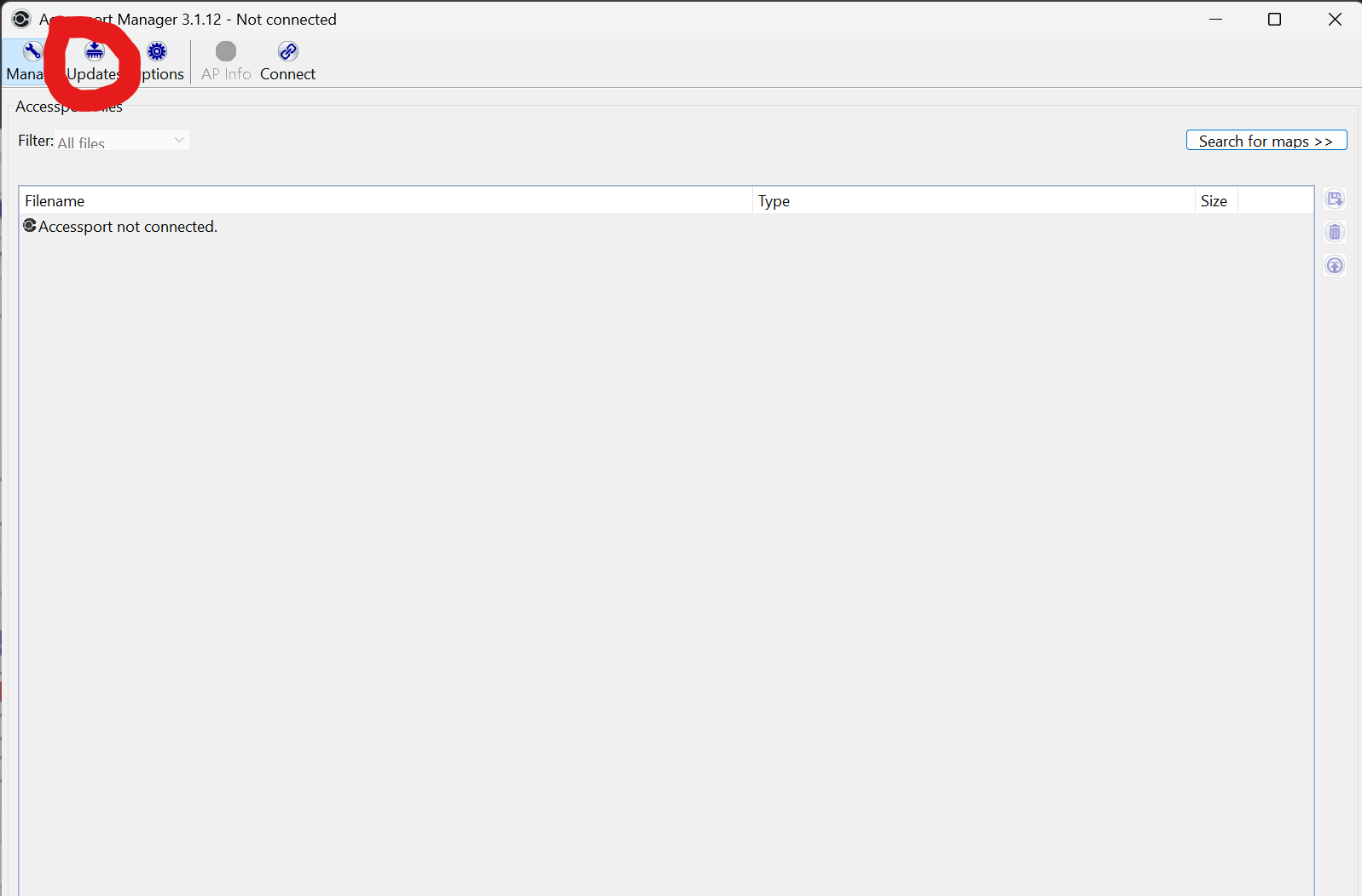
Then select here:
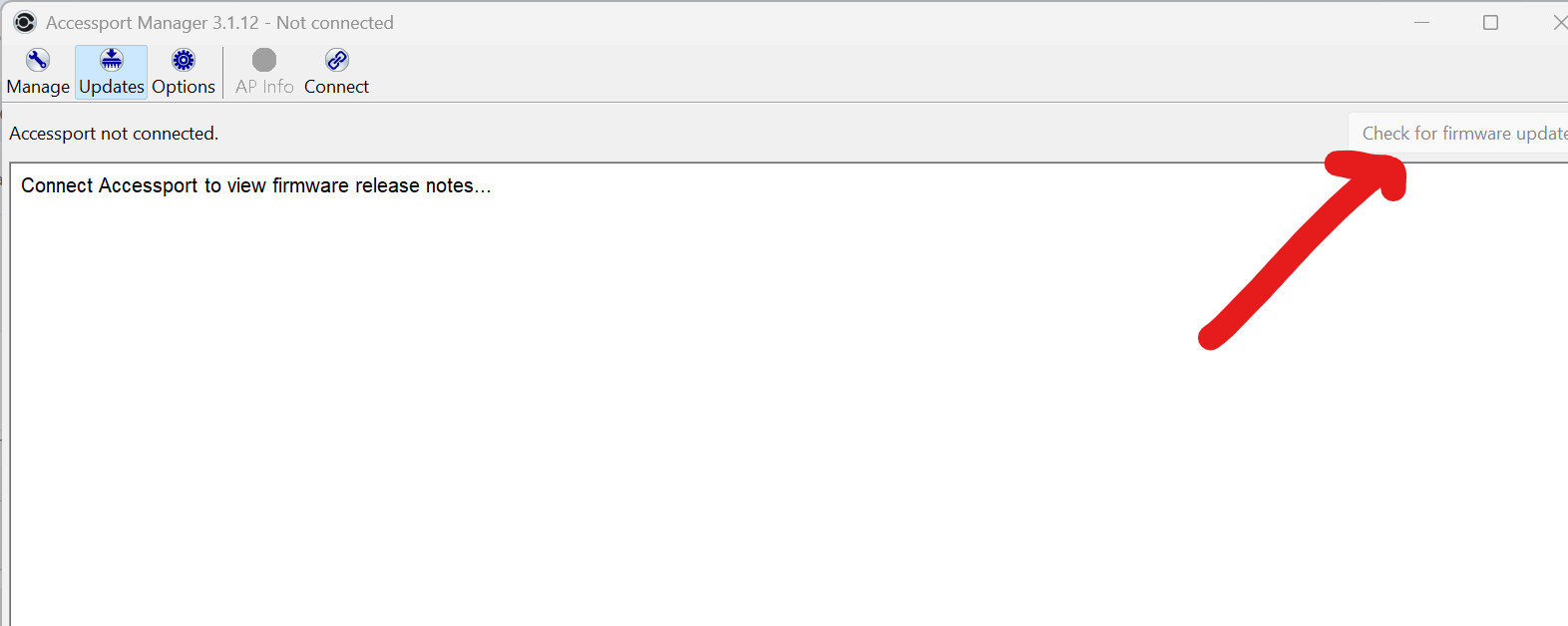
Step 3: Submit the Remote Tuning Intake Form
To complete the intake process:
Connect the Accessport to your computer
Open Accessport Manager
Select AP Info
Copy all displayed information
A short demo video is available here:
Paste this information into the appropriate field on the Remote Tuning Intake Page

Final Notes
Submitting the Remote Tuning Intake Form officially starts the tuning process
Missing or incorrect information will delay your tune
Please ensure all fields are completed accurately
If you have any questions at any point, contact tuningsupport@camtuningperformance.com
Was this article helpful?
That’s Great!
Thank you for your feedback
Sorry! We couldn't be helpful
Thank you for your feedback
Feedback sent
We appreciate your effort and will try to fix the article